
A homeowner searches for “can I build a screened porch on my existing deck?” Google may show a short answer before the familiar list of links. The summary can explain why the condition of the deck matters and point the homeowner toward pages about permits, structural assessments, or porch design.
That summary is a Google AI Overview. It can answer enough of the question to end the search or give the homeowner a better idea of what to look for next. For a remodeling company, the difference matters. A general explanation may earn a mention, while a project walkthrough that shows what the crew found under an older deck gives a homeowner a reason to visit the site and consider an estimate.
What Are Google AI Overviews?
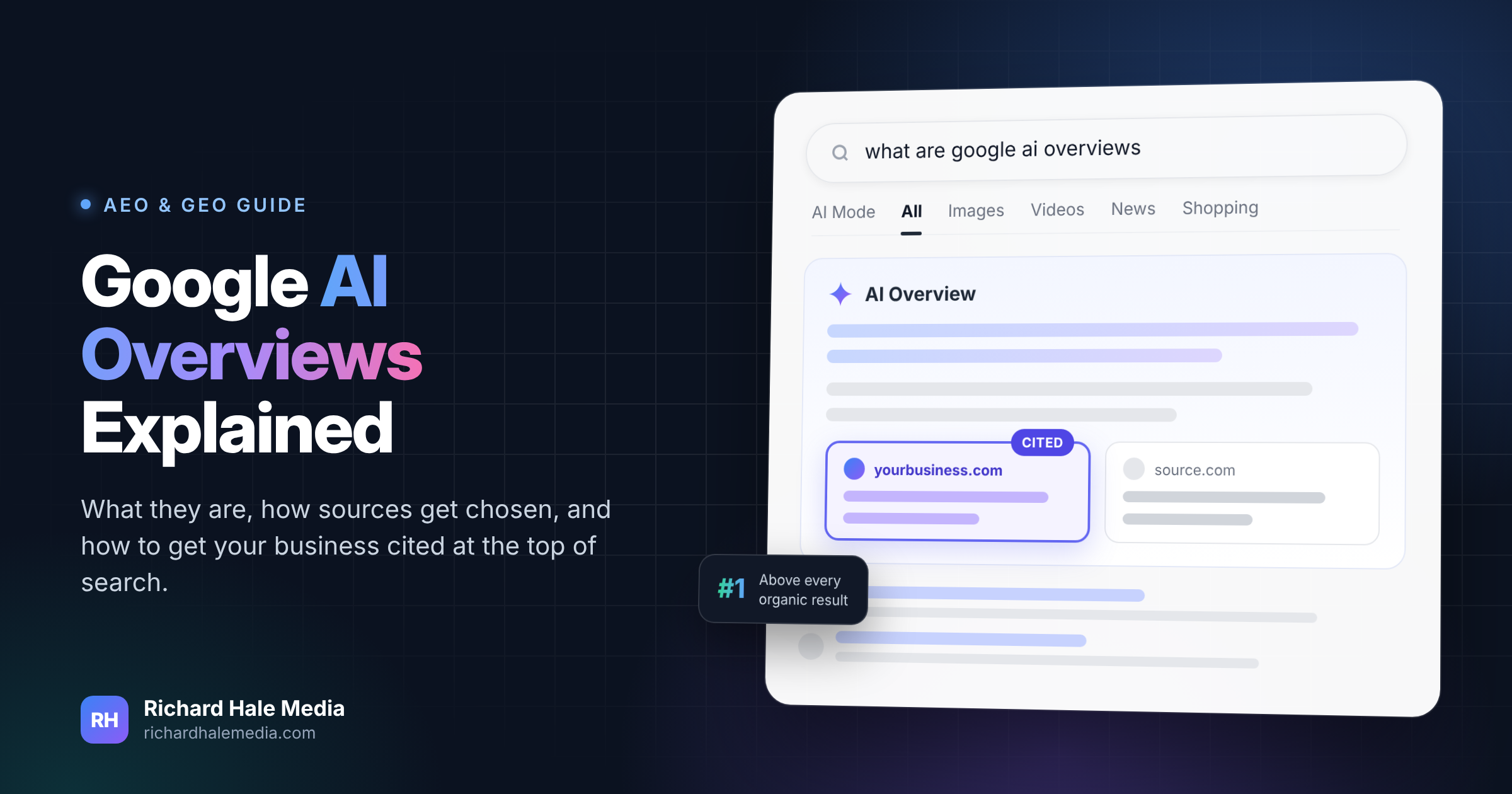
Google AI Overviews are generated summaries that appear in Google Search for selected queries. They pull together key information and include links to supporting pages. Google displays an overview when its systems determine that the format adds something useful to the regular results. Google Search Help
A broad query like “screened porch” could come from someone collecting design ideas, researching prices, or looking for a contractor. A specific question like “can you add a screened porch to a second-story deck?” gives Google more context. The searcher already has a structure in mind and wants to know what could affect the project. That makes it a useful query to monitor if your business does this type of work.
How Do AI Overviews Choose Sources?
Google draws on pages in its search index and may run several related searches to build a single response. Google calls this query fan-out. For the second-story deck question, a summary might draw on separate sources about existing footings, attachment details, and how permit requirements vary by location. Each source can contribute a different part of the answer. Google Search Central
That helps explain why the pages linked in an overview can differ from the top organic results for the original query. A detailed page about assessing an existing deck may be useful for one part of the response even if it rarely ranks for a broad phrase like “screened porch.”
How Are AI Overviews Different From Featured Snippets and AI Mode?
A featured snippet typically highlights an excerpt from a single webpage. An AI Overview presents a generated answer that can draw on multiple sources. AI Mode is an interactive Search experience designed for more involved questions and follow-ups. The links Google shows can differ across these formats. Google Search Central · Google Search Help
Which Searches Should Your Business Monitor?
Start with the questions prospects ask while they still have choices to make. An installer might hear “Can I add a motorized garage screen if I already have an opener?” several times a week. That question is worth checking even if it brings in less traffic than “garage screens.” It tells you the customer has a specific project in mind and has hit a point where the answer could affect whom they hire. That’s a big deal.
Pull ideas from sales calls, quote forms, project notes, and the queries that already bring people to your website. Then group them by what the person needs to accomplish. Keep research questions, comparisons, local service searches, and branded searches in separate groups. A good search for monitoring is one you can connect to a page and a business decision. What Is Search Intent?
Start With the Decision Behind the Search
Imagine you manage SEO for a commercial AV integrator. “What is sound masking?” asks for a definition. “Does sound masking help with conversations between private offices?” asks whether a solution fits a particular problem. “Sound masking installer in Denver” asks for a provider. The three searches belong to the same topic, but each needs something different from your website.
The definition page can explain the concept and give an example. The second page can show how an integrator evaluates the room, what might limit the result, and what an office manager needs to know before requesting a site visit. The service page can show where the company works and what a prospective client should have ready for a consultation.
Choose the page that fits each query before looking at who appears in the overview. If a competing site is linked for the private-office question, inspect the specific URL. A page that shows how the provider evaluated an existing office tells you more about the content opportunity than the name of the provider alone.
Recognize When the Search Results Already Do the Job
Some searches are complete when the person learns the meaning of a term. Others end only when the person can choose, verify, price, or book something. The difference gives you a practical way to decide where to invest.
Take a search for the difference between sound masking and soundproofing. A summary can explain the distinction quickly. A page that shows which questions to ask when sound travels through a doorway, across an open floor, or over a partition has a separate purpose. It helps a reader describe the problem accurately before paying for a solution. Give that page priority if it addresses a question your prospects ask and you have the expertise to show how the decision plays out.
How Google AI Overviews Affect Organic Traffic
A page can hold its ranking and still lose clicks. When Google puts a summary above the listings, some searchers get what they came for before they reach the organic results. Others use the summary to narrow their options and click a source once they have a more specific question.
Pew Research Center analyzed the browsing activity of 900 U.S. adults in March 2025. In that study, a traditional result received a click on 8% of Google visits with a summary, compared with 15% of visits without one. A source link within the summary received a click on 1% of visits with a summary. These rates describe the searches Pew observed. Your own results depend in part on how much of the searcher’s task can be completed on Google. Pew Research Center
Where a Website Still Earns the Click
Consider two searches about metal stamping. Someone asking “what is metal stamping?” may need only a definition. A purchasing manager comparing stamping with CNC machining for a new part wants to know how order volume, tolerances, and tooling costs affect the choice. A sample cost breakdown that shows how the economics change at different volumes gives that buyer a reason to open the page.
Look for this distinction when prioritizing content. A definition can introduce a subject and lead readers toward a deeper guide. A comparison page can help a buyer prepare a request for quote. Judge each page by the job it does and the next action it helps the reader take.
How to Optimize for Google AI Overviews
Make the Right URL Eligible
Google says a supporting page must be indexed and eligible to appear in Search with a snippet. Start with the specific URL you want Google to show. Confirm that Google can crawl the page, that it has selected the intended canonical URL, and that your indexing and snippet settings match your goals. Link to the page from relevant parts of your site so people and search engines can find it. Google Search Central
For example, a product category may have a clean landing page and several filter URLs with similar copy. If Google indexes a filter URL while your product guides link to a different version, review how those pages are linked and which one Google treats as canonical before rewriting the category description.
Put the Conditions Next to the Answer
A useful answer says what usually happens and explains when that answer changes. If your article covers how long a kitchen remodel takes, separate the construction timeline from the full project timeline. Explain where design approvals, cabinet lead times, or inspections fit. A homeowner deciding whether they can host Thanksgiving needs to know when they’ll have a working kitchen, even if some finish work is still pending.
Write headings around the decisions readers make. Under “When can I use my kitchen again?” explain what needs to be working for basic use. Under “What can delay the start date?” cover the decisions and deliveries that need to happen first. Keep each answer near the context a reader needs to interpret it.
Show How You Reached the Answer
The most useful part of a project story is often the decision the team had to make on site. A remodeling company could show the conditions that led it to design a freestanding porch instead of building over an existing deck. A manufacturer could show how a change in part geometry affected the production process. Photos, drawings, and clearly labeled measurements help readers see why the recommendation fit the job.
Give important details in the page text as well. A photo can show where a support post sits. A caption can tell the reader why its location mattered. If you publish an estimate or comparison, include its scope, assumptions, and date so readers can tell how closely it applies to their project.
Connect Research Pages to the Next Decision
Anyone that follows Richard Hale knows what he says about content. Every piece of content should have a purpose. He’s right. An article about whether a porch can go on an existing deck can link to a case study, a guide to comparing porch designs, or a relevant service page. Choose the destination that fits the point in the article. Someone wondering what an assessment involves may want a walkthrough. Someone who already has plans may be ready to discuss a quote.
Group related searches when they call for the same answer. Create a separate page when the reader needs different evidence or a different next step. This keeps a site’s content focused and gives each internal link a clear purpose.
Refresh Pages That Already Have a Search Audience
An existing page with impressions for several relevant questions gives you a starting point. Read the queries that bring people to it, then compare them with the sections on the page. If readers land on a guide to replacing a deck and repeatedly search for whether the existing frame can be reused, check whether that question gets a clear answer. A single line under “Other considerations” may be too little for someone comparing estimates.
Add the missing decision criteria where the question belongs. For a contractor, that might mean showing the difference between a quote that assumes a full replacement and a quote that starts with an inspection. Explain which items can be priced before the inspection and which depend on site conditions. When you can document a real project, use it to show what caused the scope to change.
Keep the original URL when the revised page still serves the same purpose. Update nearby internal links if the revised guide makes a better destination for a specific question. When several existing pages overlap, map the job of each page before combining them. A service page that generates quote requests and a guide that helps readers plan a project can both earn their place. SEO Strategy
Give Readers a Way to Verify Important Details
A cost comparison earns trust when a reader can see what went into the numbers. Say whether the figures come from completed jobs, estimates, or an illustrative scenario. List what the amount includes, the market it applies to, and when the estimate was prepared. A reader can then compare it with a quote and understand why the two numbers differ.
The same principle applies to project recommendations. A page that recommends a certain type of display for a training room can show the distance from the farthest seat, the type of material presented, and where the installer measured from. Those details make the recommendation useful to another team planning a similar space.
Add a named author or reviewer when that information helps readers assess the guidance. For details that come from a manufacturer, government agency, or other primary source, point to the relevant documentation. Keep the source close to the claim so readers can check the specific detail they came for.
Know What Structured Data Can Do
Structured data can help Google interpret supported information on a page and can make a page eligible for certain rich results. For an ecommerce page, that might mean marking up the price and availability customers can see. Google does not require a special schema type for AI Overviews. Its guidance also says there is no required page length or special way to divide copy into short passages for these features. Google Search Central
Use headings, tables, and lists where they help a person make sense of the content. A table can show which configuration fits which room. A checklist can help a facilities manager prepare for a site survey. Give each format a job and include enough context for the reader to use it.
What an AI Overview Content Update Looks Like
Suppose a manufacturer has a guide comparing metal stamping with CNC machining. It ranks for several research queries and explains what each process does. The sales team says prospects regularly ask whether a part should be machined for the first run and stamped later if volume grows. The guide barely mentions that decision.
Before the Update
The page opens with two definitions, then lists the advantages and drawbacks of each process. Near the end, it says stamping is often better for high volumes. The reader learns the general distinction, but a buyer with uncertain demand still has no way to apply it to their part.
In that case, the next question is what would make the buyer switch processes. Is it the size of each order, the total number of units expected over the life of the part, the cost of the die, or the likelihood of a design change? That is where the manufacturer can add information the buyer cannot get from two definitions.
After the Update
The revised guide adds a section on choosing a process when demand is uncertain. It separates startup costs from per-part costs, explains how a design revision can affect tooling, and shows why there is no universal order quantity at which a buyer should switch. A labeled hypothetical compares a small first run with a larger repeat order under the same assumptions. The buyer can follow the reasoning without mistaking the example for a quote.
The page also tells readers what to send for an estimate, such as a drawing, material requirements, anticipated volumes, and any critical dimensions. Those details support a real purchasing decision. If a search summary explains the broad difference between the two processes, the expanded guide still helps the buyer work out what to do with that answer.
After publication, track the specific URL. Look at impressions for relevant searches in the main performance report, combined feature impressions in the dedicated report, and the number of useful quote requests the page helps generate. If more inquiries arrive with complete drawings and order details, the page may be doing a better job even when total traffic stays flat.
How to Track AI Overview Visibility in Google Search Console
The Generative AI performance report for Search combines impressions from AI Overviews and AI Mode. You can group those impressions by page, country, device, or date. The regular Search results Performance report includes activity from these features in its broader Web data. Use the dedicated report to understand visibility across the two experiences and the regular report to review overall Search clicks and click-through rates. Google Search Console Help
What to Check When Clicks Drop
- Find the pages and queries behind the change. Compare similar date ranges and segment by device or country where it matters. A few large pages can account for most of a sitewide decline.
- Review what the searcher sees. Check whether an overview appears, which pages it links to, and what else takes up space in the results. Record when and where you checked so later observations are easier to compare.
- Compare business outcomes. Look at qualified calls, form submissions, or sales from the pages affected. A guide that loses casual visits while continuing to generate quote requests calls for a different response than one that loses both traffic and inquiries.
If an overview answers the opening question, look at what the buyer still needs. A clearer price breakdown, a side-by-side comparison, or a project example may give the page a stronger reason to exist and the reader a stronger reason to visit.
Keep Observed Overview Links Separate From Traffic Data
For a small set of important searches, maintain a record of the query, date, device, location, and URL Google displayed. Include occasions when an overview appeared without linking to your site. That makes it easier to tell the difference between losing a link and seeing the entire feature disappear for the search you checked.
Then compare those observations with page-level performance. Suppose your cost guide appears in an overview on three weekly checks, and the dedicated report shows more impressions for the URL. The checks show you observed the guide in a specific overview. The report shows that visibility across Google’s covered features rose. Use both observations when you report progress and describe exactly what each one measures. Google Search Console Help
Read Average Position in the Context of the Results Page
Average position describes where your result appeared across recorded impressions. It can move as your mix of queries or search features changes. Google gives the links inside an overview the position of the overview itself. A link near the end of an expanded summary can therefore share a reported position with one a reader sees sooner. Google Search Console Help
Say your guide usually appears halfway down the organic listings for a comparison query. One week it also starts appearing as a source in a summary higher on the page. Your reported average position may improve, yet the traditional listing may be in the same place. If you check only the average, you can miss what changed and overstate the improvement in your regular rankings.
Impressions deserve the same care. Google says an overview link must be scrolled or expanded into view for an impression to count. If a colleague can reproduce an overview and find your page after expanding it, that confirms the link was present during that check. It doesn’t tell you how many people saw it in the course of their searches. Google Search Console Help
For a client report, put these observations in plain language. Write “the guide appeared as an overview source in our checks, and average position improved for the query group.” Keep that separate from statements about the organic listing and from any changes in clicks or sales. Each observation tells you something different about the page.
Use a Baseline Before You Change the Page
Record the publication date, the query groups the page serves, its organic clicks, and the actions you expect readers to take. After the update, compare equivalent periods and consider whether seasonal demand, promotions, or a site change could have affected the numbers. If the business gets few inquiries each month, look at a longer period before treating a change of one or two leads as a trend.
Use the pattern in the data to decide what to inspect next:
- Impressions rise and clicks stay flat. Check which queries gained visibility and whether the page gives those searchers a reason to visit.
- Clicks fall and qualified leads hold steady. Look at which searches lost clicks and whether the decline is concentrated in early research queries.
- Visits rise and inquiries fall. Check whether the page is attracting a different audience or sending visitors to a next step that does not fit their needs.
- Impressions and clicks both fall. Check indexing, position, demand, and the search results layout before attributing the change to overviews.
Keep this analysis at the URL or query-group level as long as you can. A sitewide average can hide that one informational article lost traffic while a comparison page brought in more prospects.
Turn Search Visibility Into Qualified Leads
Choose one service your business wants to sell more of and identify the question customers ask just before they request an estimate. Build or update a page that answers it, shows how your team handles the decision, and makes it easy to take the next step. That page can serve a prospect whether they discover it through an overview, a regular listing, or another page on your site.
Richard Hale founded Richard Hale Media and brings 16 years of SEO experience to the agency. We help businesses attract and convert more customers through SEO, answer engine optimization, content marketing, social media marketing, lead generation, and web design. If you’re deciding how to connect this work to your broader search strategy, see What Is AEO?
Frequently Asked Questions About Google AI Overviews
Why Do I See AI Overviews for Some Searches and Not Others?
Google decides whether a summary adds value to the results for a particular search. You may see an overview for a detailed comparison and get regular listings for a related search with a different purpose. Google Search Central
Can I Turn Off Google AI Overviews?
Google Search has no setting to turn off overviews across all results. For an individual search, select the Web filter to see a links-only view. Google Search Help
Does a Page Have to Rank First to Appear in an AI Overview?
Google’s published eligibility criteria require indexing and eligibility to appear in Search with a snippet. Since Google can run related searches when generating an overview, a page can support one part of the answer even if it ranks lower for the original query. Google Search Central
Do I Need Special Schema for Google AI Overviews?
Google has no Overview-specific schema requirement. Use structured data where it helps a page qualify for supported search features, and make sure the markup matches what readers can see on the page. Google Search Central
Can I Track Clicks From AI Overviews Separately?
The dedicated Search Console report shows impressions across AI Overviews and AI Mode. The regular Web performance report includes clicks from these features within broader Search totals. It does not provide a standalone AI Overview click count. Google Search Console Help
Can Website Owners Opt Out of Google AI Overviews?
Site owners can manage inclusion in Search Console under Settings → Search generative AI. The exclusion covers AI Overviews, AI Mode, and covered features in Google Discover. Google says it does not use that setting to determine ranking or inclusion in other parts of Search. Google Search Console Help
Does a Link in an AI Overview Count as an Organic Ranking?
An overview link is a separate search appearance from a traditional organic listing. Google’s overall Search reporting includes activity from these features, and its position rules treat the overview as a single result position shared by the links inside it. If you track rankings, record the regular listing and the overview link separately. Google Search Console Help
Why Is My Page Indexed but Missing From AI Overviews?
Indexing and snippet eligibility allow a page to be considered. Google still decides whether to show an overview and which sources to link. Check the site’s Search generative AI inclusion setting, then inspect the searches you care about. If Google shows an overview, look at the parts of the answer it covers and whether your page offers supporting information that applies to those parts. Google Search Central · Google Search Console Help
Can I Limit How Much Text Google Shows From a Page?
Google supports page-level snippet controls, including max-snippet to limit snippet length and data-nosnippet to exclude specific text from snippets. Review their effects on regular search appearances before applying them. For broader control over participation in Google’s covered generative search features, use the property setting in Search Console. Google Search Central · Google Search Console Help